Your footage. Your workspace.
Keep the feedback.
Skip the upload.
Review videos right where they live. Leave timestamped notes, draw on frames, resolve feedback, and keep your next cut moving—all from your Mac.
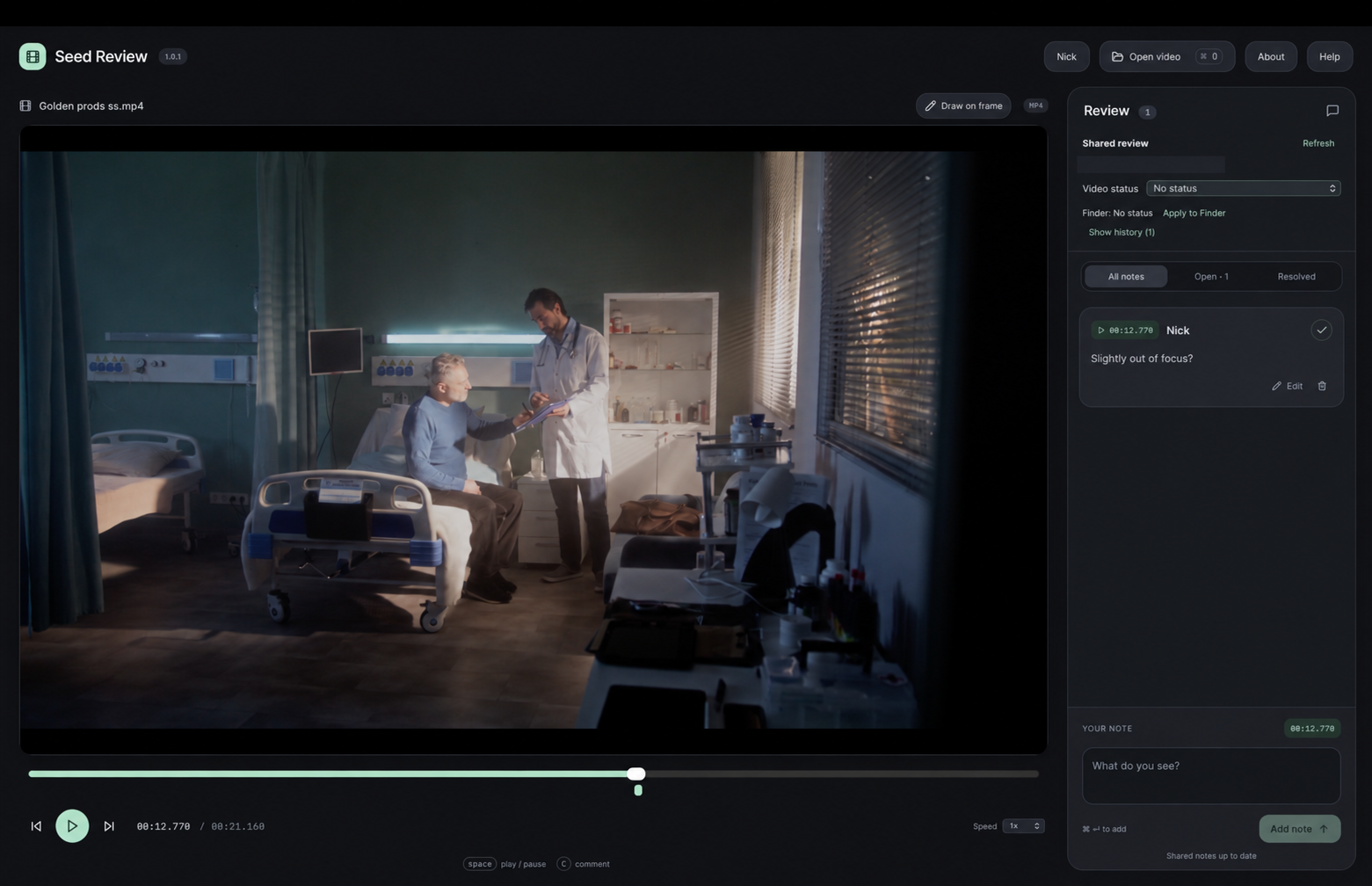
No upload required for video review.
Feedback tied to a moment in your video.
Saved notes return when you reopen.
Built around the way you edit
Your video is
the project.
You already know where your footage belongs. Seed Review brings the review process to your files, so a quick check doesn’t become another upload, another link, or another workspace to manage.
Open a video from Finder, leave clear feedback, and get back to the edit. Your original video stays untouched.

From first watch to next cut
Open. Review. Return.
Start with the file.
Right-click a video in Finder and open it in Seed Review. Keep working from your local drive or accessible shared storage.
Pinpoint the moment.
Add timestamped comments while you review. Use review statuses to make the next step clear. Draw on a frame when a visual note says it better.
Keep the context.
Reopen the video and revisit saved notes. Spend less time reconstructing feedback and more time shaping the story.
More context. Clearer feedback.
Everything a useful
review needs.
Timestamped notes
Tie feedback to a specific moment. Author names and precise timestamps keep the conversation easy to follow.
Draw on the frame
Pause and mark the frame. Attach a drawing to a note, then use View drawing to bring that visual feedback back into context.
Open & resolved notes
Mark feedback resolved and filter between All notes, Open, and Resolved. Edit or delete notes as the review develops.
Visible timeline markers
See where comments sit along the video and return to the moments that need attention.
Review statuses & Finder labels
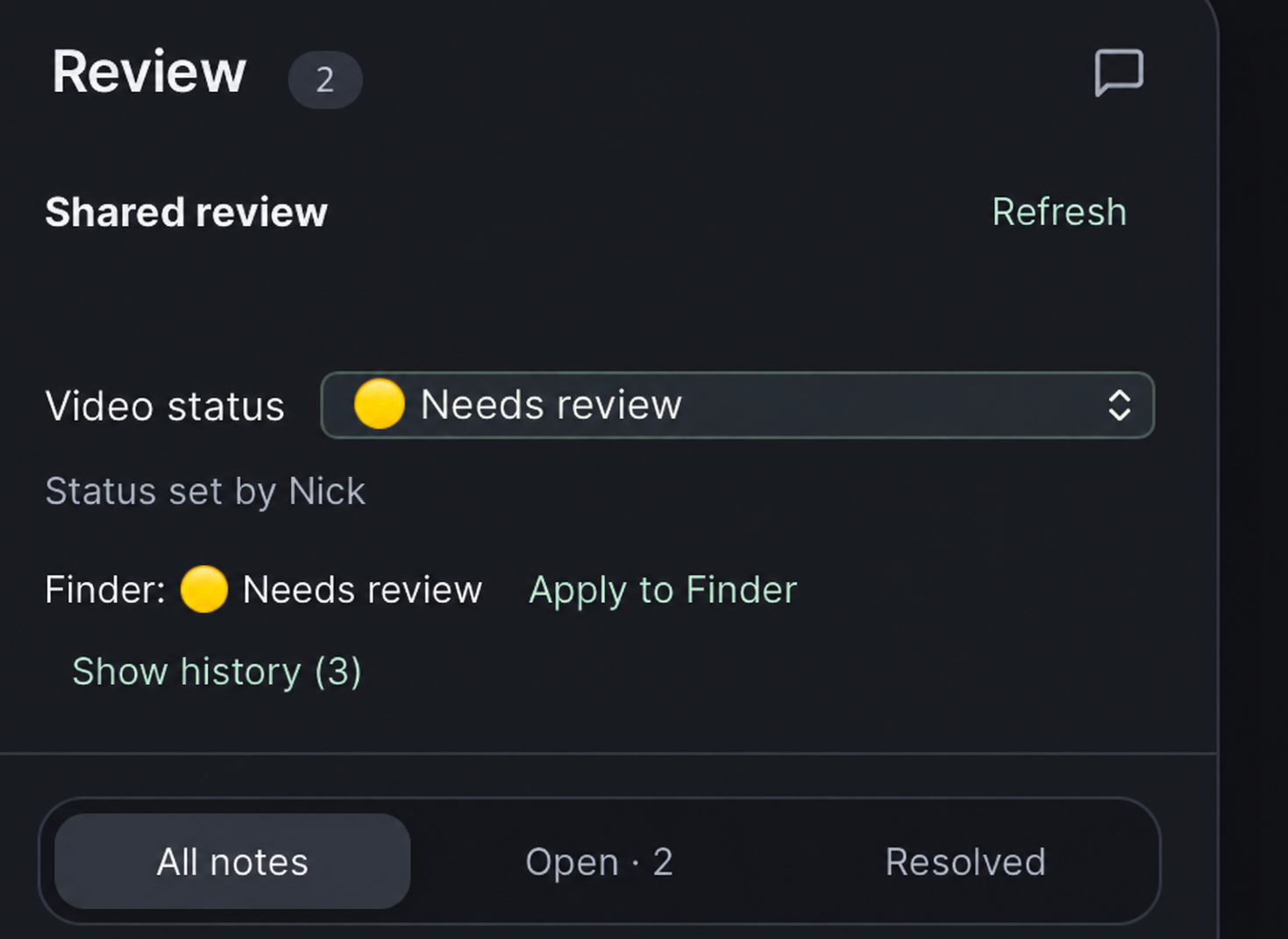
Use Approved, Needs review, Under review, and Do not use to communicate progress. Apply the matching status label in Finder.
Shared review & history
Keep review notes on accessible shared storage, refresh the review, and open its history for context. Each Mac needs access to the files and an activation.
Playback controls
Adjust playback speed and use keyboard shortcuts: Space to play or pause, and C to comment.
Notes that stay with the review
Close the app and reopen your video to return to saved feedback, without modifying the original video.
Compatible playback preparation
Prepare compatible playback when a source format needs it. Codec and Mac compatibility still apply.
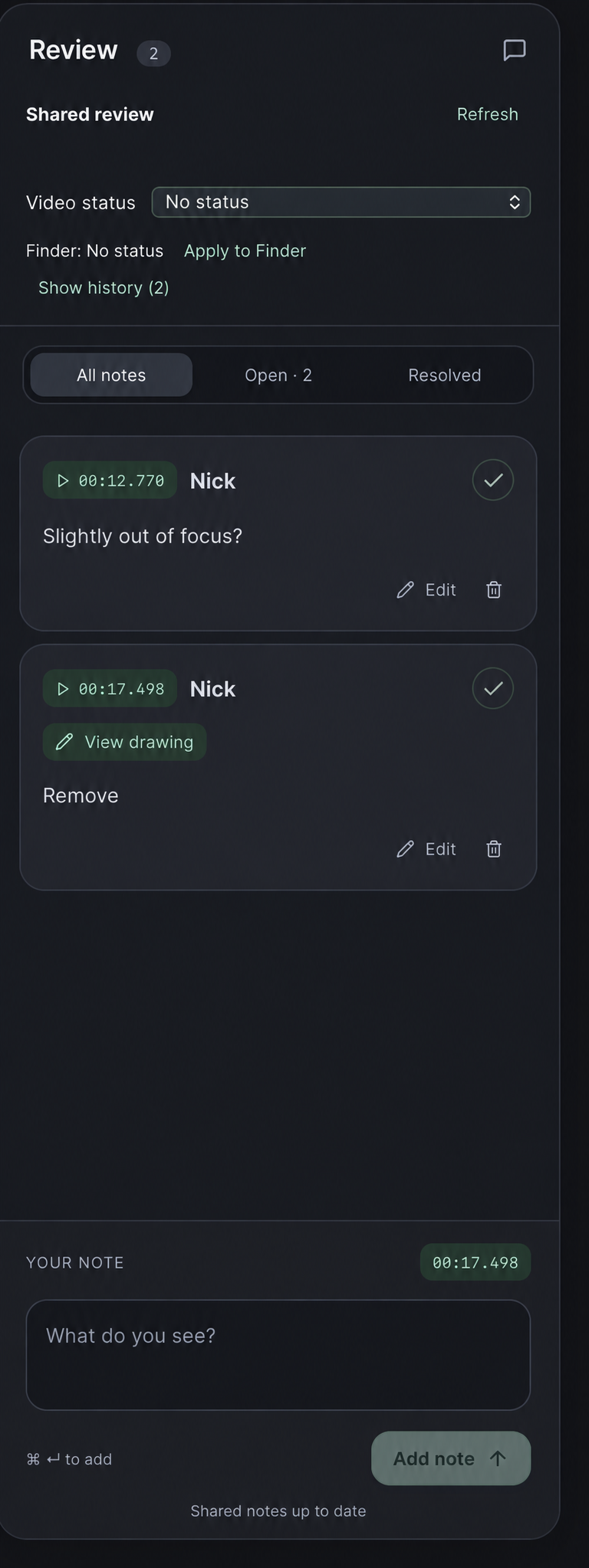
Follow the review through
From “take a look” to “ready to go.”
Keep the note, the moment, and the next action together. Resolve comments as you work and make the video’s status visible beyond the player.
Find the moment. Keep your rhythm.
Timeline markers, playback speed, and familiar keyboard controls help you move through a review without losing your place.

Choose your license package
One app. Room for your team.
The same review tools in both packages. Choose the number of Macs you need to activate.
5-License Package
5 licenses · up to 5 activated Macs
- Seed Review for macOS
- Timestamped video comments
- Drawing attachments and saved notes
- Open/resolved filters and review history
- Review statuses and Finder labels
- Review media on your own storage
- Commercial and personal use
10-License Package
10 licenses · up to 10 activated Macs
- Everything in the 5-License Package
- Twice the device activations
- Notes, drawings, and open/resolved filters
- Timeline markers and review history
- Review statuses and Finder labels
- Review media on your own storage
- Commercial and personal use
License sales opening soon. Prices are in USD; applicable taxes will be shown at checkout. A license covers one activated Mac; packages may be delivered as one key with multiple activations. Internet access is required for purchase and license activation. Read the Terms of Service and Privacy Policy.
A few things to know
Before you press play.
Can I draw directly on a video frame?
Yes. Pause the video and choose Draw on frame. Save the drawing with your note, then select View drawing on that note to revisit it.
Does my footage get uploaded?
Seed Review is designed to review videos on your own storage. Its review workflow does not require uploading your video to Golden Productions LLC. Purchasing and activating a license involve online services, as described in the Privacy Policy.
What does “5 licenses” or “10 licenses” mean?
The $49 package covers up to 5 activated Macs. The $89 package covers up to 10. Both include the same app features. The package may use one license key with an activation limit, rather than a separate key for every Mac.
Can I review files on shared storage?
Seed Review can work with accessible shared storage such as a mounted NAS. Each Mac needs its own installation and an available license activation. File access, permissions, and network configuration affect the workflow; contact us about your setup before purchasing.
Which video formats work?
Playback depends on the video’s codec and your Mac. Some professional formats may need compatible playback preparation. Contact us with your format and macOS version if you need to confirm a particular workflow.
Can I move an activation to a different Mac?
The package limit applies to activated devices. Contact us for help releasing an old activation before activating a replacement Mac.
Who makes Seed Review?
Seed Review is a product owned by Golden Productions LLC, created for practical video review workflows. Get in touch with product, licensing, or support questions.